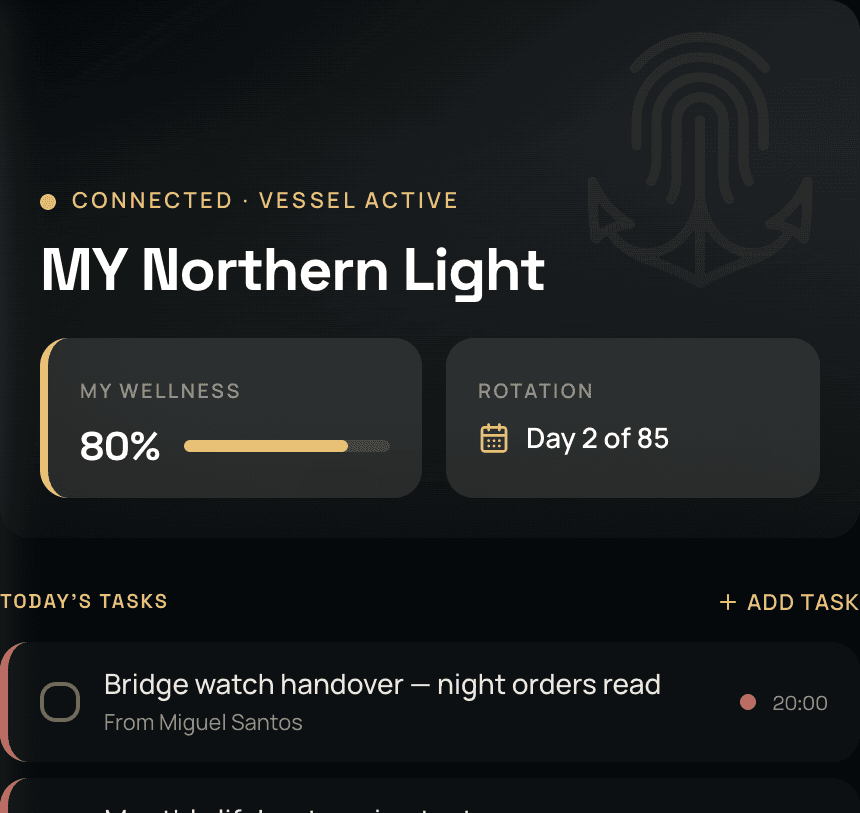
Connected · Linked to an APRON vessel
When your vessel runs APRON,
TouchBase becomes the window
to your day on board.
Tasks, notices, trips, rotations, requests and approvals, all in TouchBase. Connecting to APRON changes your app, but it never changes your vault. It is still your account, your certificates, your sea time.
The noticeboard has run the ship for a hundred years.
A sheet of paper by the mess door. An email to all crew that half of them never open because they are on watch or resting. A form left on somebody's desk, and no way to know whether it was ever picked up. Every one of them assumes you walked past the right place at the right time.
The notice reaches you when it should, and acknowledging it is one tap. Nobody has to come and find you to ask if you saw it.
Your day arrives in TouchBase,
and your HOD sees it done when you tick it.
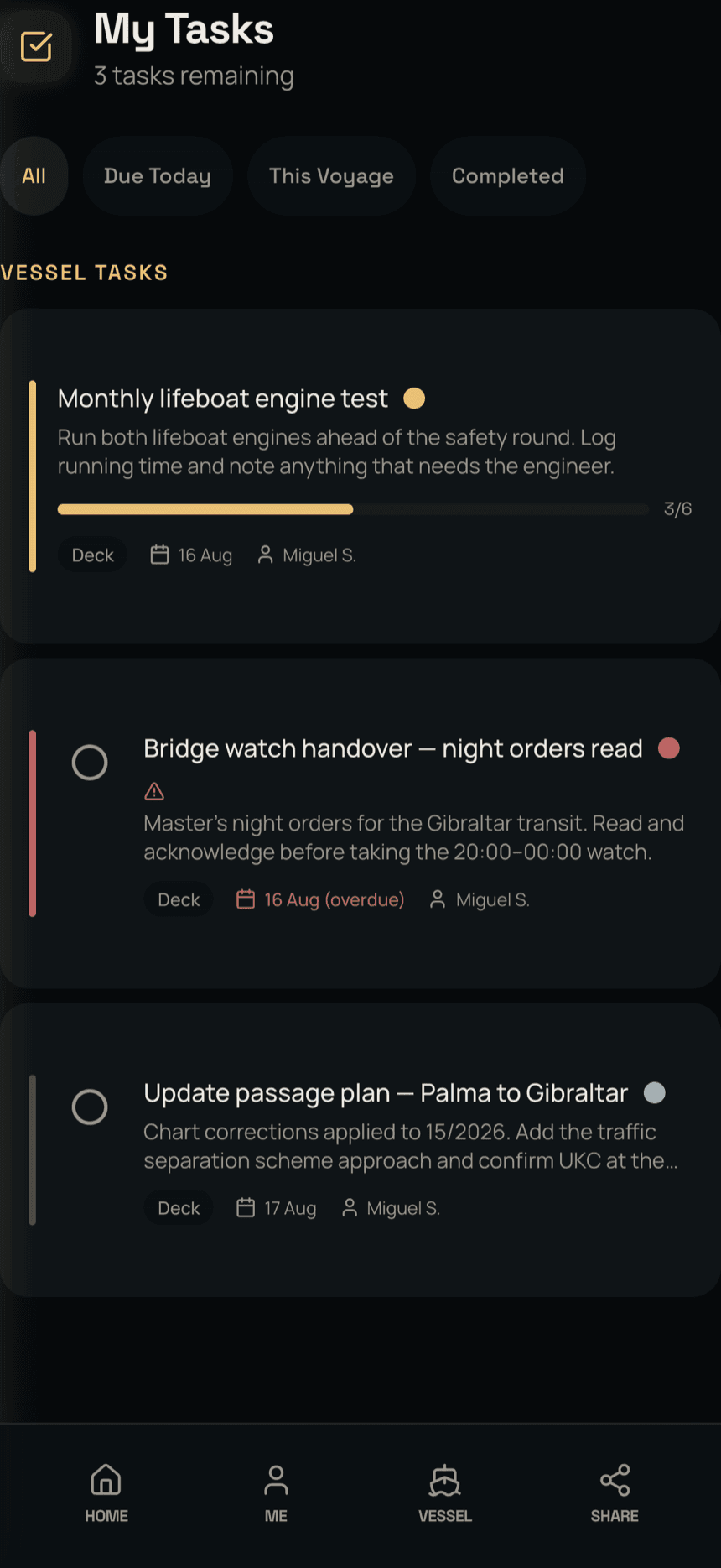
A job can be given to you by name, to your role, to your department or to the whole crew. Either way it arrives with the detail you need to actually do it: what it is, what it is for, when it is due, which trip it belongs to, and the SOP behind it. Every tick is timestamped and shows who did it, so nobody is left hoping someone else has already done it. Your HOD sees it without asking you.
Longer jobs carry their own steps, so a half-finished task reads as half-finished rather than as nothing at all. Overdue shows as overdue. And because ships lose signal, ticking a job off below decks with no signal works just the same. It syncs when you next get signal.
Everyone got it.
And the vessel has the record.
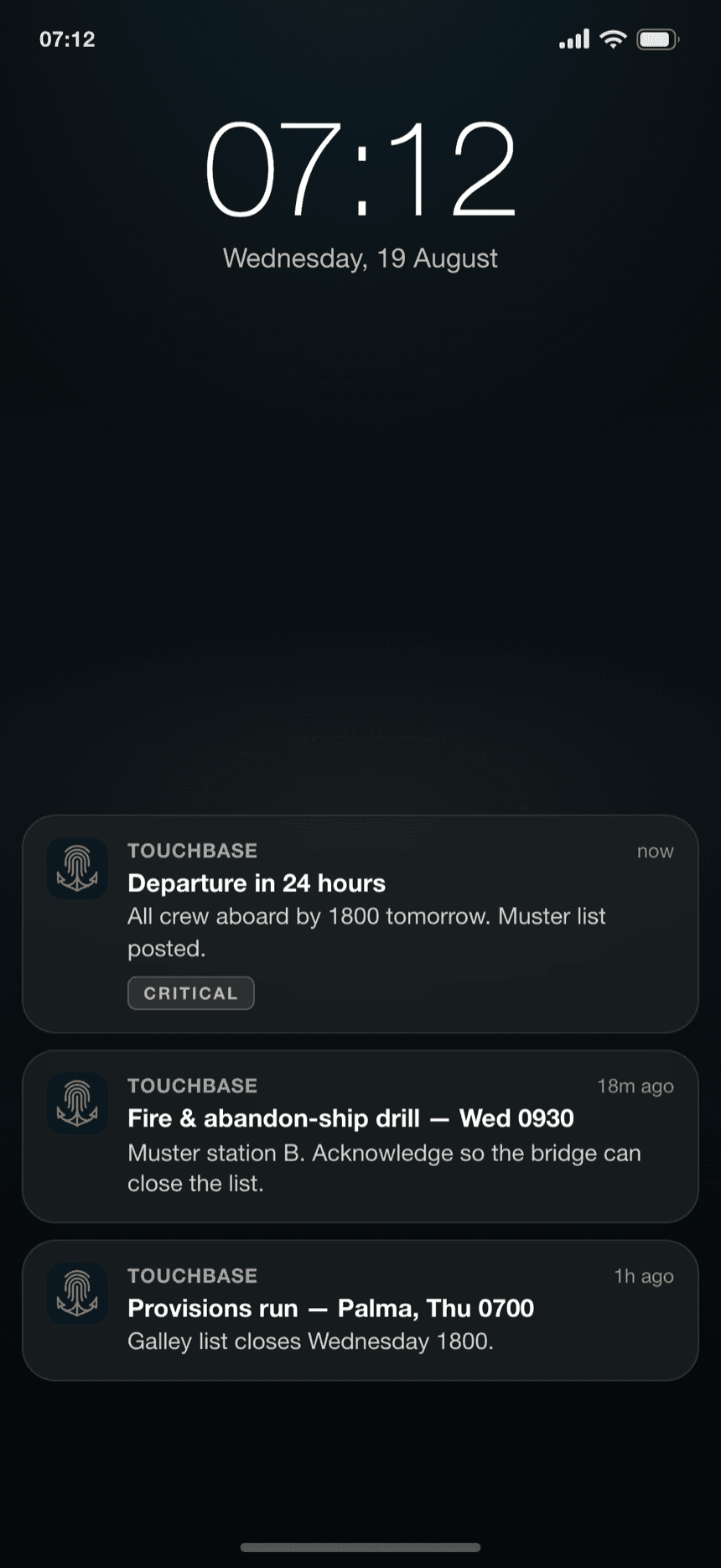
Departure times, drills, muster stations, provisions runs, ISPS level changes, a change to the watch bill. They reach you where you already look, and you acknowledge with a tap. The list closes itself, and nobody has to come and find you.
How hard a notice pushes depends on what it is. Something critical comes through as an alert. Something routine waits quietly for you. A notice does not get to interrupt your sleep just because it was written at 0300 in another time zone. Quiet hours follow the ship's time, not the sender's.
The same channel carries the SOPs and the forms. When a form or a checklist is due from you, it is in TouchBase, and you can complete it offline just as well as in port.
The end of the request that vanished.
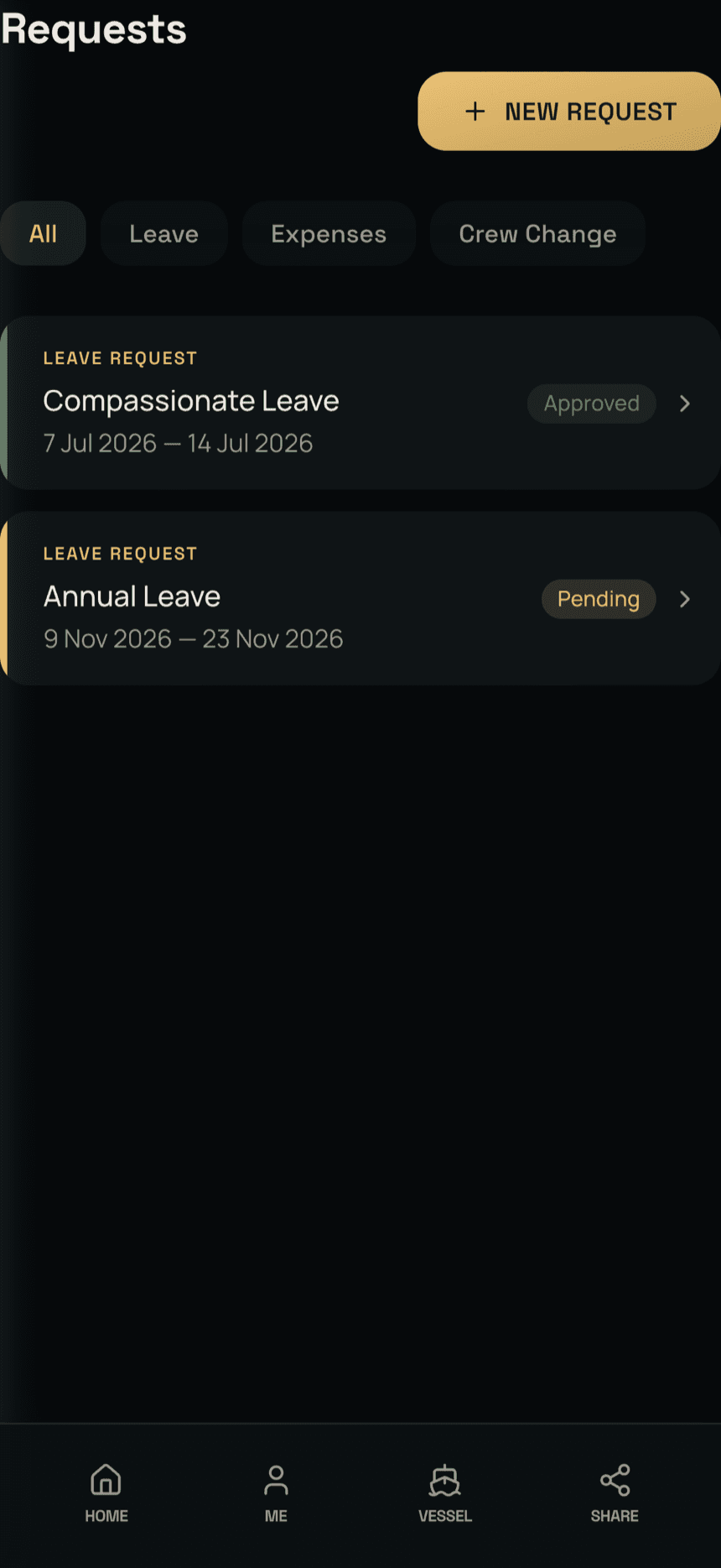
Every crew member knows the old way: a leave request goes in, and then nothing. You ask again in a week and feel like a nuisance for asking. The paper simply moved to a desk you cannot see.
Annual leave, sick leave, study leave, compassionate leave. A crew change with the dates you need. A training course, with the travel and accommodation to get you there, requested against the vessel's own training policy. Medical treatment, and a claim for what you have already paid for yourself. They go in from TouchBase and carry a status you can see at any time. They come back answered, approved or not, in writing, with a date attached. If the answer is different dates or a different amount, you get it as an offer to accept or decline.
Reference letters have their own place in the vault. How references work →
Your leave is yours.
And the app knows it.
Your shipmates, your HOD and the office all know when you are on leave. Their systems still ping you anyway. TouchBase does not. Nothing reaches you while you are off.
It catches you on the way back instead. Anything still open and relevant to you comes up as your leave runs out. Expired notices never reach you. You step on board already knowing what is waiting, rather than spending your first watch finding out.
Your rotation is also what makes the expiry warnings honest. A renewal that looks comfortable on a calendar is not comfortable at all if your only window is spent at sea. Nobody works that out in their head. How expiry works →
Hours of rest,
mostly filled in for you
APRON already has your watch pattern, so your hours-of-rest record is filled in for you. What is left is correcting the days that did not go to plan: the call-out at 0200, the extra hours alongside. Drag across the day to fix it, or drop in a standard block: day watch, night watch, four on, eight off. Seconds rather than an evening.
It fills in offline and syncs later, and it flags where your hours of rest breach MLC rest limits, so nothing is a surprise at inspection. You know the rules better than any app does; it just stops you having to reconstruct last week from memory at the end of the month.
A quick daily check-in,
and it stays yours.
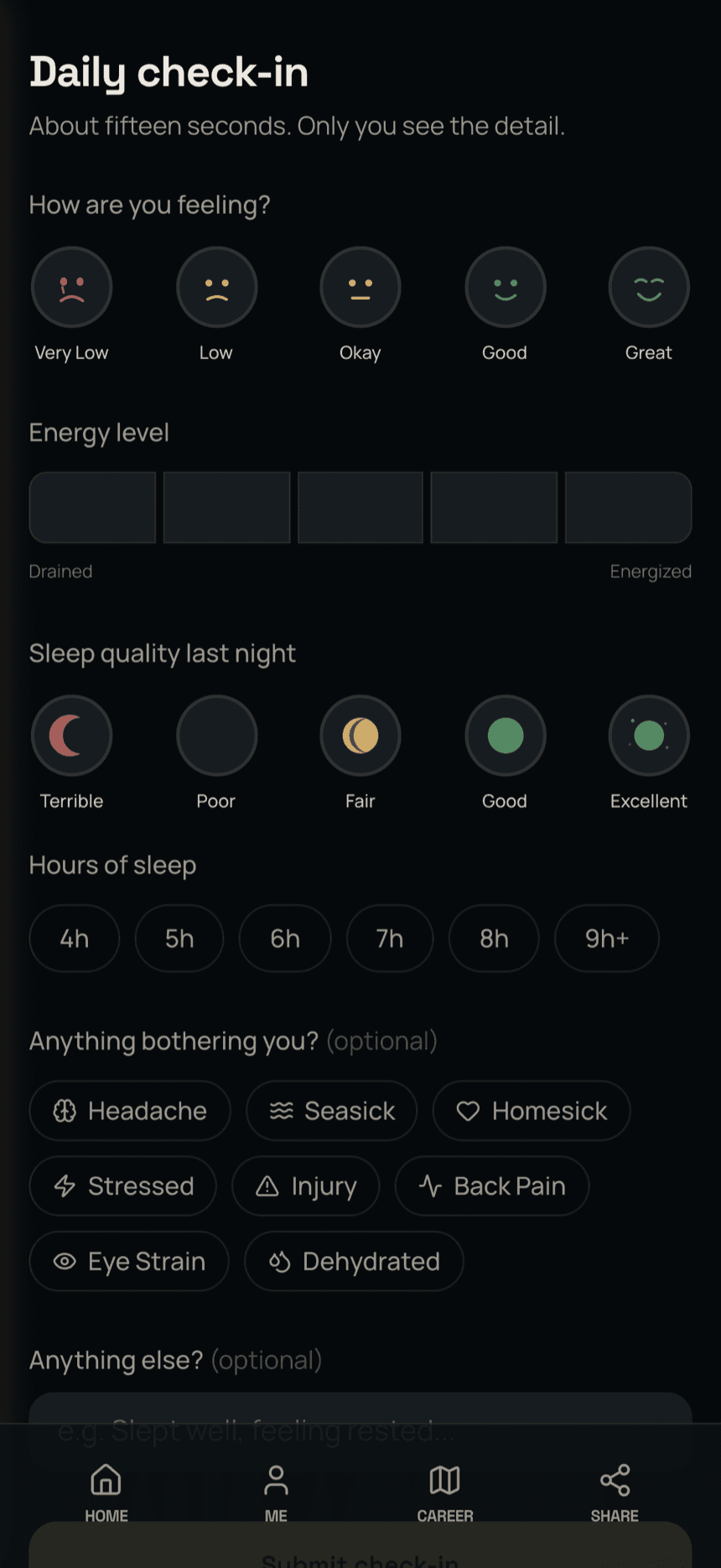
A few taps on how you are sleeping, how you are feeling and how the workload is sitting. It takes seconds, and it is the one record on board that is about you.
Your check-ins stay in your account. The vessel never sees a mood, a sleep score or a fatigue number. What it does see is your hours of rest against MLC limits, because that is the vessel's legal duty, and it carries your name like every other rest record.
If your own answers stay low for long enough, one flag goes to the person you chose: your HOD, your captain, or the DPA ashore. It carries no numbers, only that a flag was raised. You set the limits and you set who hears it. One floor is fixed, so a sustained low always reaches somebody.
Your own trend stays yours. Mood, energy and sleep, tracked over a rotation, built into the app you already use.
Renewed on board, ashore or by you,
your vault has the live copy
Cloud sync keeps all three in step. Update a certificate yourself in TouchBase, have the vessel update it in APRON on board, or let the office do it ashore: whichever way it comes in, your vault holds the live copy. No email, no filing.
And it runs the other way: the vessel can see you hold the certificates it needs, without you sending the same four certificates to four different people.
Leave with everything.
Leave nothing behind.
When your contract ends and you leave the vessel, your TouchBase disconnects from that vessel's APRON. Your reference letter and your sea service for that contract are already in your vault, and they stay there. Your personal data is cleared from that vessel's APRON, so you are not leaving a copy of your passport in an archive you will never see again.
What you keep is TouchBase itself: your account, your certificates, your sea service, your references. It was never the vessel's to hand back.