The Vault · Independent
The vault every seafarer keeps,
with or without a vessel.
No vessel, office or crewing agent needed. Your documents, your sea time and your references, kept by you for your whole career. This page is everything inside it. Free for seafarers.
Point the camera.
The form fills itself.
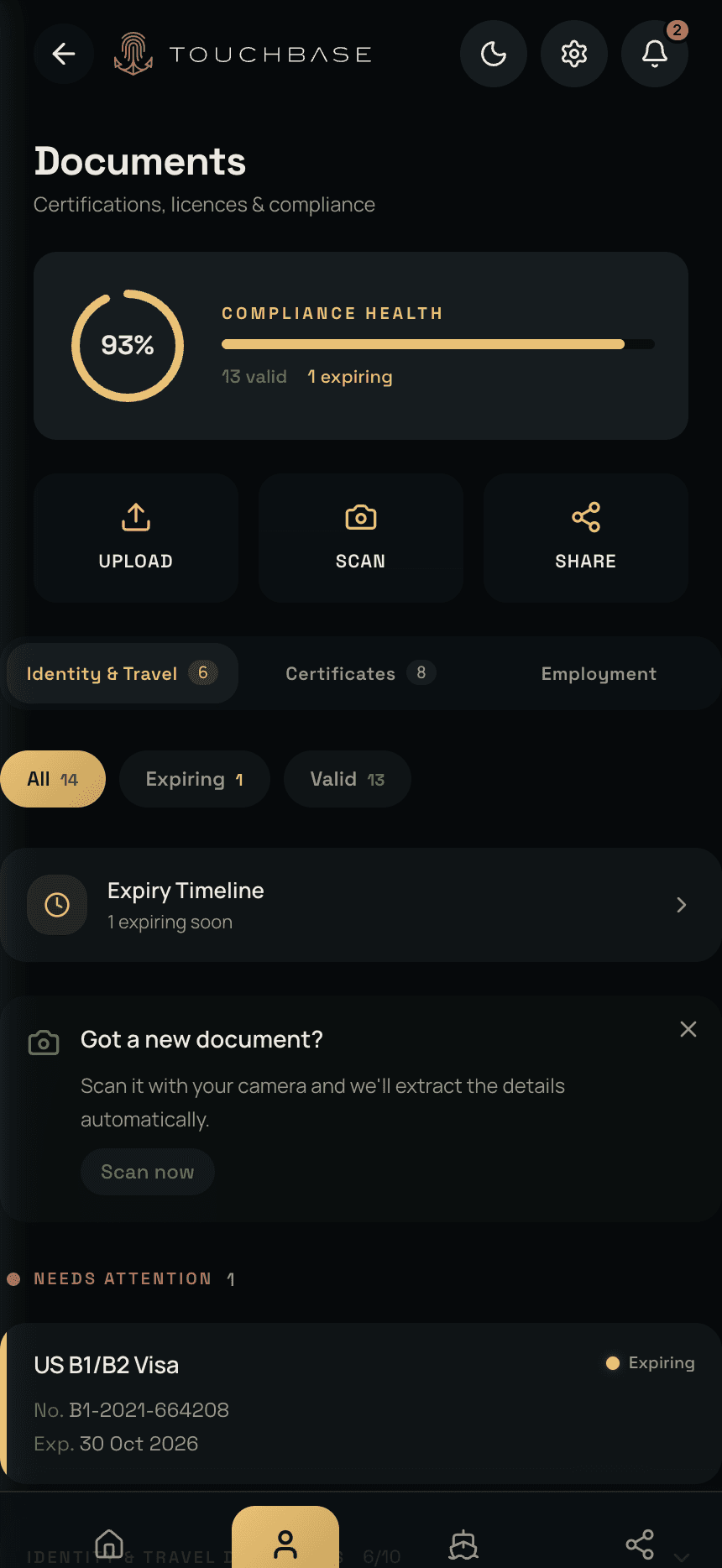
A certificate arrives as a photo, a PDF in an email, or a sheet of paper at the end of a course. Photograph it or pick the file. TouchBase reads the document number, the issue and expiry dates, and what kind of document it is, then files it under the right heading. You check it and save.
From then on the Documents screen shows the two things that matter: is everything current, and what runs out next.
Only the papers
your rank carries.
ENG1, discharge book, STCW, GMDSS, flag state endorsement, and each department's own certificates. TouchBase holds the full list and shows you only what your rank and department need. Deck is not asked for engine room tickets, and galley is not asked for a COC.
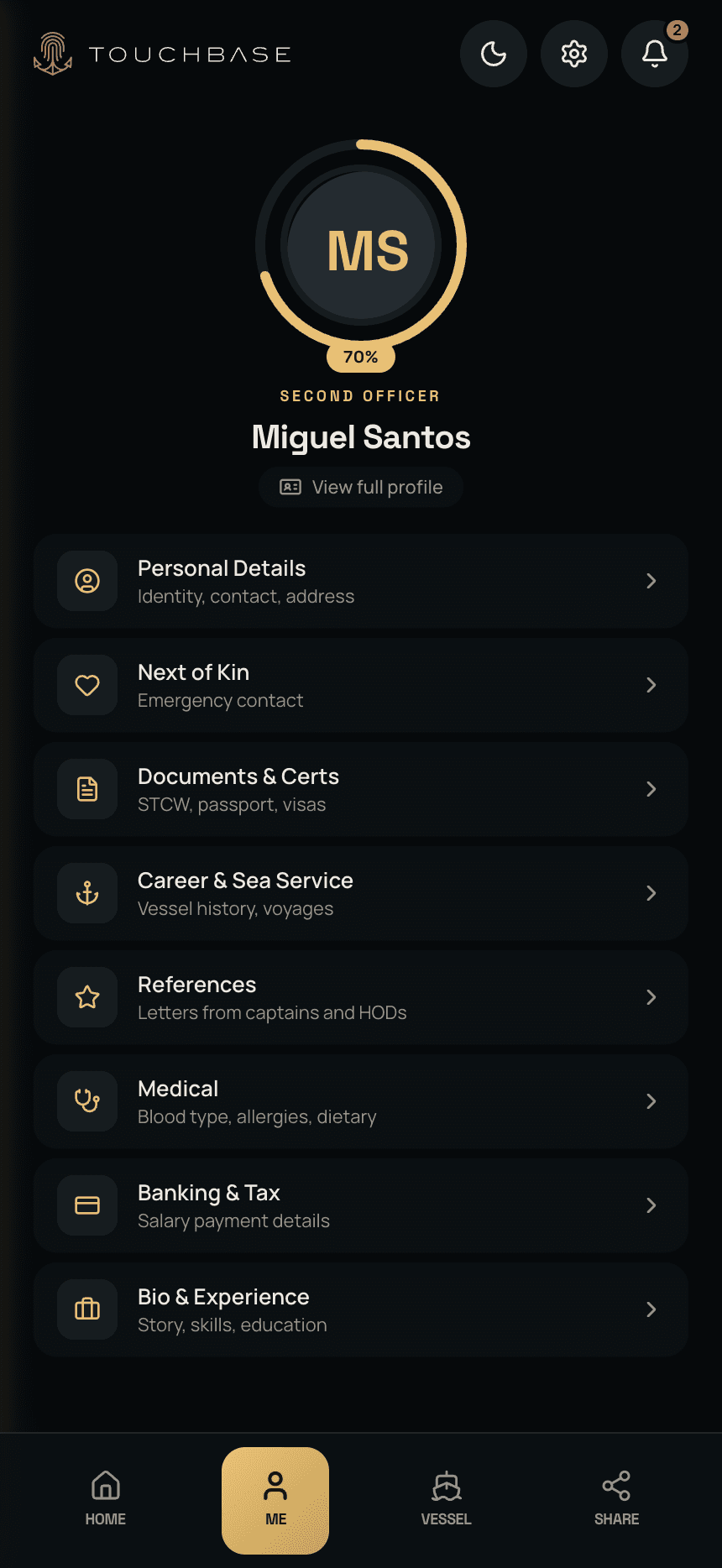
Around the documents sits the rest: identity, next of kin, medical, banking for payroll, and a short bio. Filled in once. Every time a vessel, a crewing agent or a training provider asks for your details, they are already there.
Read against your rotation,
not the calendar.
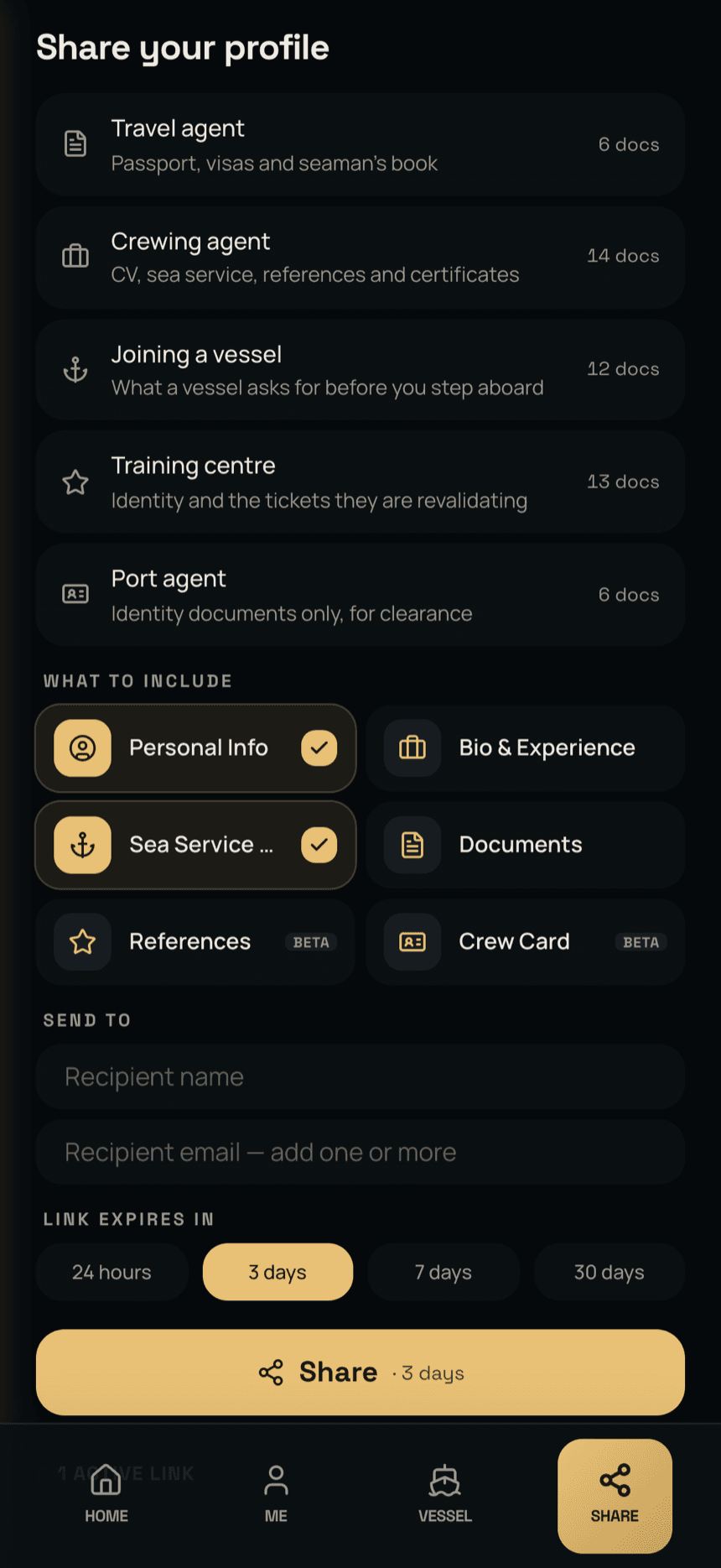
A certificate that runs out in December is no use to you if you are on board from October. TouchBase takes your rotation pattern and your leave dates, adds how long the issuing authority takes, and works out the last leave on which you can still renew. Each document sits in one of four states.
You are told when a document changes state, in plain words: “your August leave is your only renewal window”. The home screen keeps the list of what needs attention, so you are never hunting for what is due.
Send what they asked for.
Take it back when they are done.
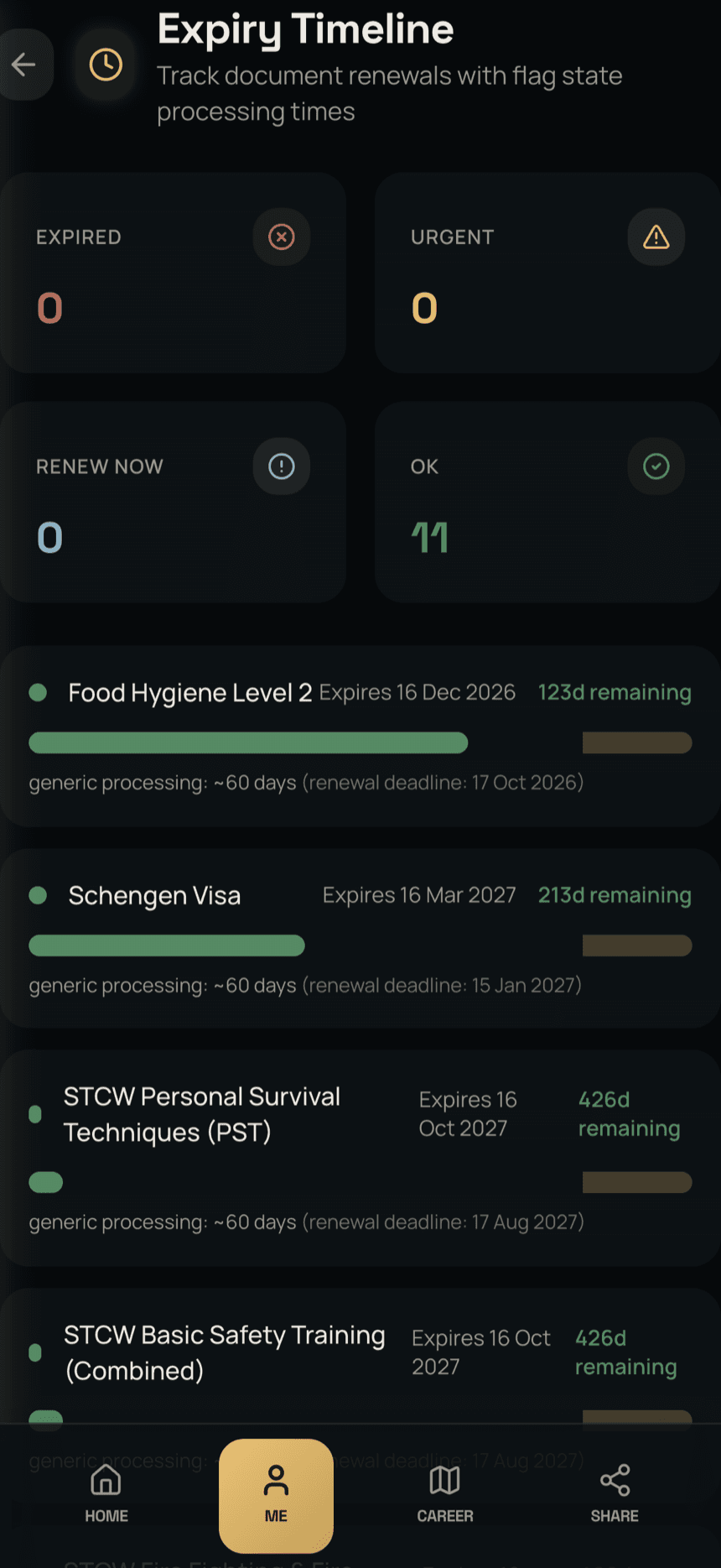
Each of the people who ask for your papers wants a different set. TouchBase keeps a list for each, built from what they actually ask for.
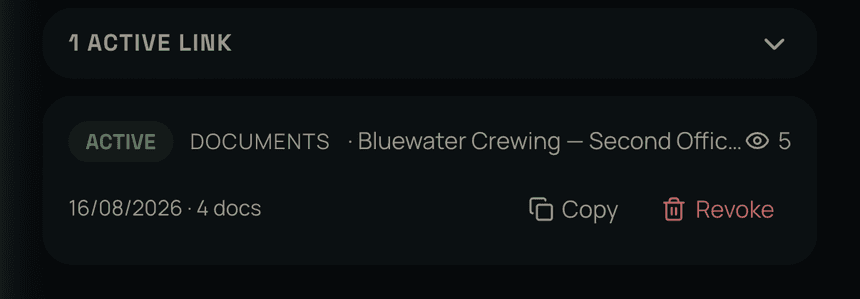
Tap the list, check what goes in, and set how long the link lasts: a day, a few days, a month. It shuts itself off at the end. The other side installs nothing and makes no account. They open the link and see what you sent, nothing else.
While it is open you can see it working: TouchBase tells you the moment the link is opened, and how many times. And when the job falls through, it went to the wrong address, or they simply have what they needed, one tap revokes it. The page stops working at once for everyone who has it, saved or forwarded on.
The captain's letter,
filed where it cannot be lost.
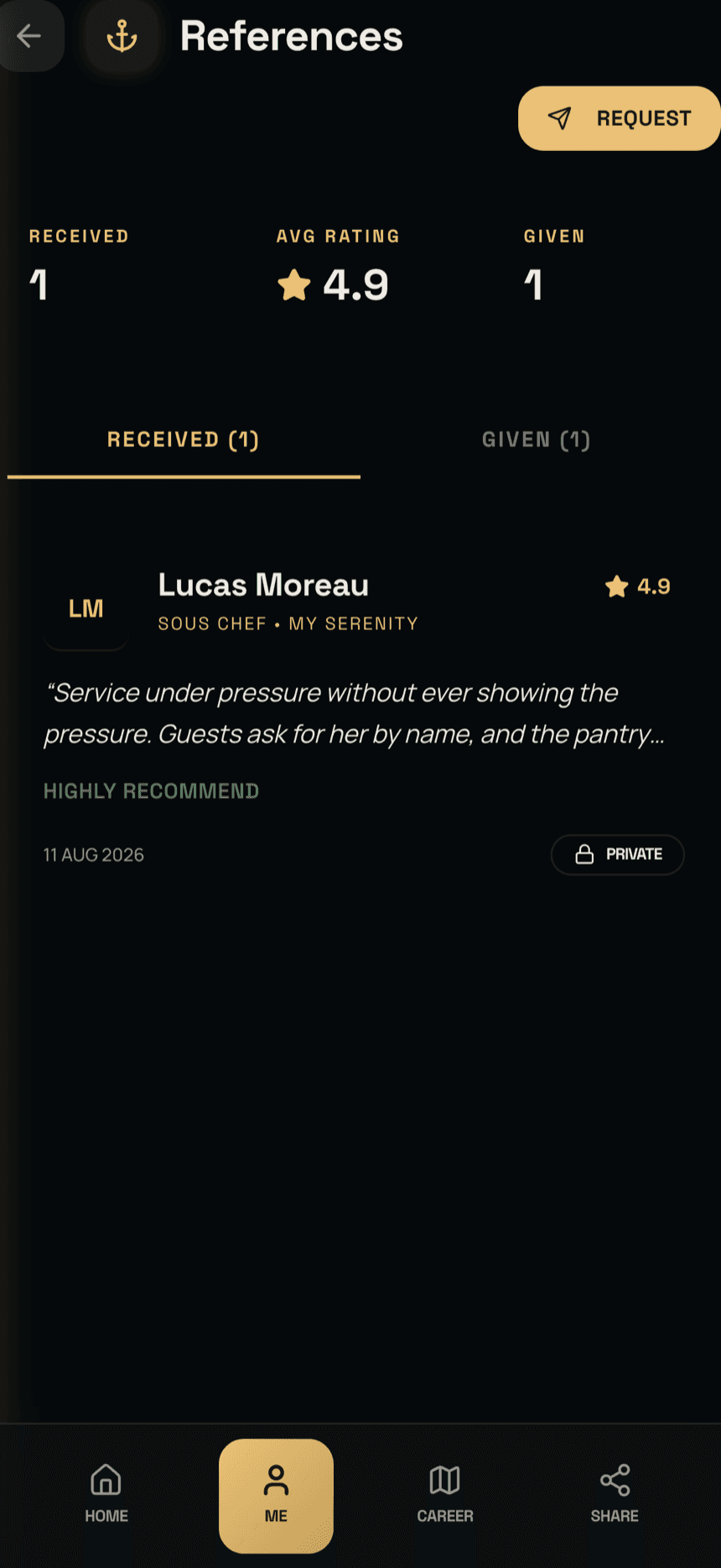
Your next job hangs on the reference from your last one, and it is the easiest thing in a career to lose: an old mailbox, a captain who has moved on. In TouchBase it goes in the vault and stays there.
When your contract on a vessel running APRON ends, TouchBase requests the reference from your captain and files it in your vault the moment it is written. For an earlier vessel that ran APRON, open your career log, pick the vessel, and TouchBase sends the request for you.
Beside the letters sit shipmate ratings: an informal word from the people you sailed with, separate from the official letter, and marked verified when your sea service and theirs overlap on the same vessel.
Every sea day,
recorded three ways.
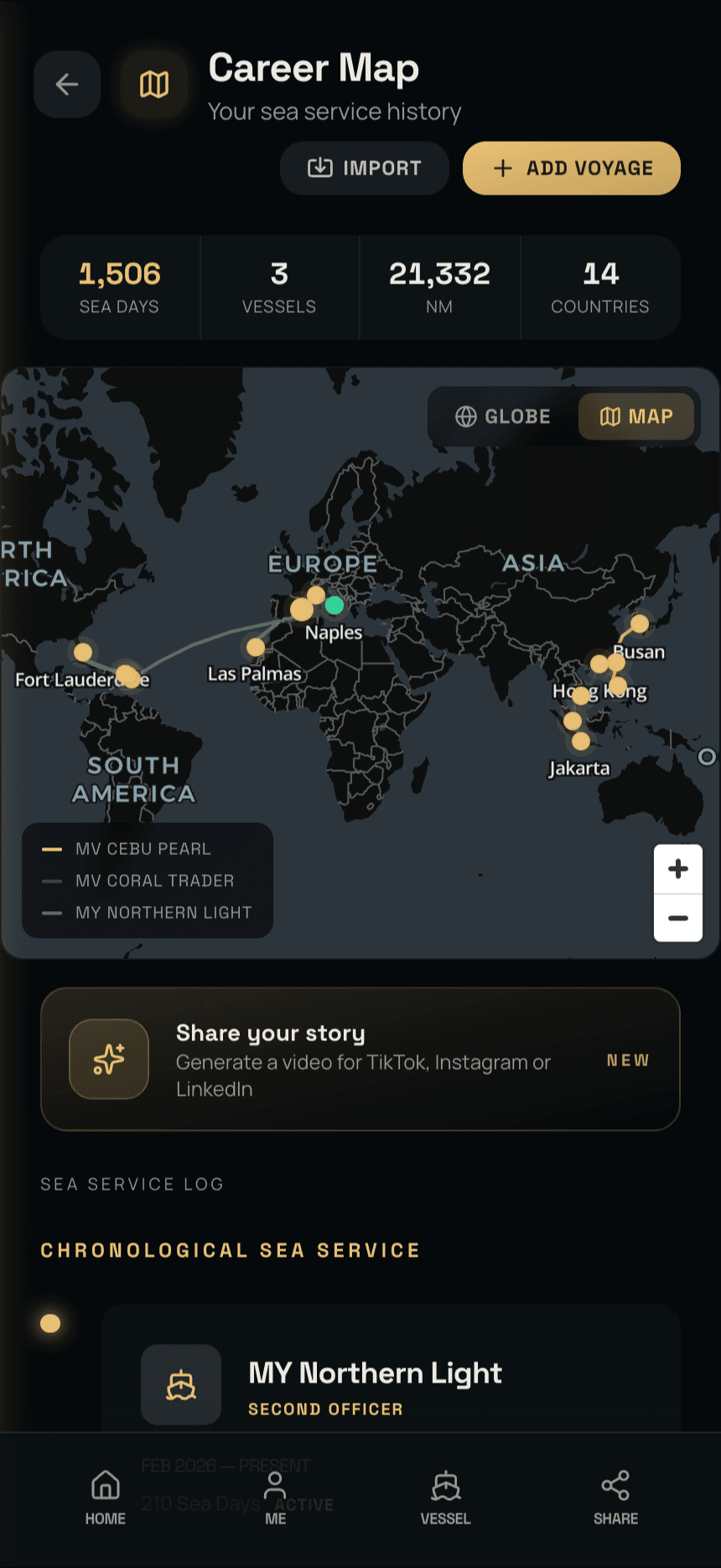
Enter a voyage by hand in a minute. Photograph a logbook or sea service page and let the scanner do the typing. Or, when the vessel runs APRON, do neither: your service is logged as you sail, and recorded that way it holds up when a crewing agent or a flag state checks it.
However it got there, it adds up the same way: sea days, vessels, miles and countries, every voyage drawn on a globe you can spin or on a flat chart. Your discharge book, with a copy that cannot go missing.
Separately from the record itself: TouchBase turns any stretch of your sea service into a short video of the ships, the miles and the ports, sized for social media. Your career, not just your CV.
Between contracts,
between employers,
at sea or ashore
The account, the documents, the sea service and the references are yours, not an employer's. Nobody takes them back when the contract ends. When you leave a vessel running APRON, its copy of your personal data is deleted from APRON. If you ever delete your account, everything goes with it.
It is held in encrypted cloud storage, so a lost phone costs you a phone and nothing else. And because vessels lose signal, a copy is kept on the phone too: on passage or in a port office with no roaming, it still opens. Anything you add offline syncs when you next get signal, dated when you added it, not when it synced.
If your vessel runs APRON Maritime, the same app also becomes the window to your day on board: tasks, notices, trips, rotation, requests and approvals. When you leave the vessel, it hands everything back to you.